DigiOperator
A toolkit of specialized skills and agents that helps operate an online shop or social media account, coordinating recurring work while keeping important decisions in human hands.
The problem
Running a digital business involves a surprising amount of repeatable work.
An online shop needs products prepared, listings maintained, market research completed, customer questions handled, and finances tracked. A social account needs content researched, created, reviewed, scheduled, published, and analyzed.
Each activity has its own requirements. The challenge is coordinating all of them without losing track of the decisions, changes, and results.
I built DigiOperator to give that work a structure.
The approach
- Two operating paths. The toolkit supports online shop management and social media operations, with a guided starting point for each
- Specialized skills and agents. Sixteen skills and ten agents have distinct responsibilities across research, creation, operations, review, and analysis
- A coordinated workflow. Individual capabilities connect through shared processes, so work can move from an initial request through preparation, review, and completion
- Ongoing operations. Background processes monitor recurring work, identify failures, and surface issues that need attention
- Human approval at important moments. Publishing, customer communication, payments, and other consequential actions remain under my control
- A record of changes. Activity and strategic decisions are documented so that results can be reviewed over time
- Built to be maintained. Setup guidance, system checks, operational reporting, and documentation make the toolkit easier to understand and run
The result
DigiOperator provides two distinct operating environments.
The shop workflow helps an owner move from initial setup into ongoing product, listing, research, marketing, customer service, and financial tracking.
The social workflow coordinates content preparation, review, publishing, performance analysis, and strategy updates.
A shared dashboard brings activity across accounts and shops into one view.
Screenshots
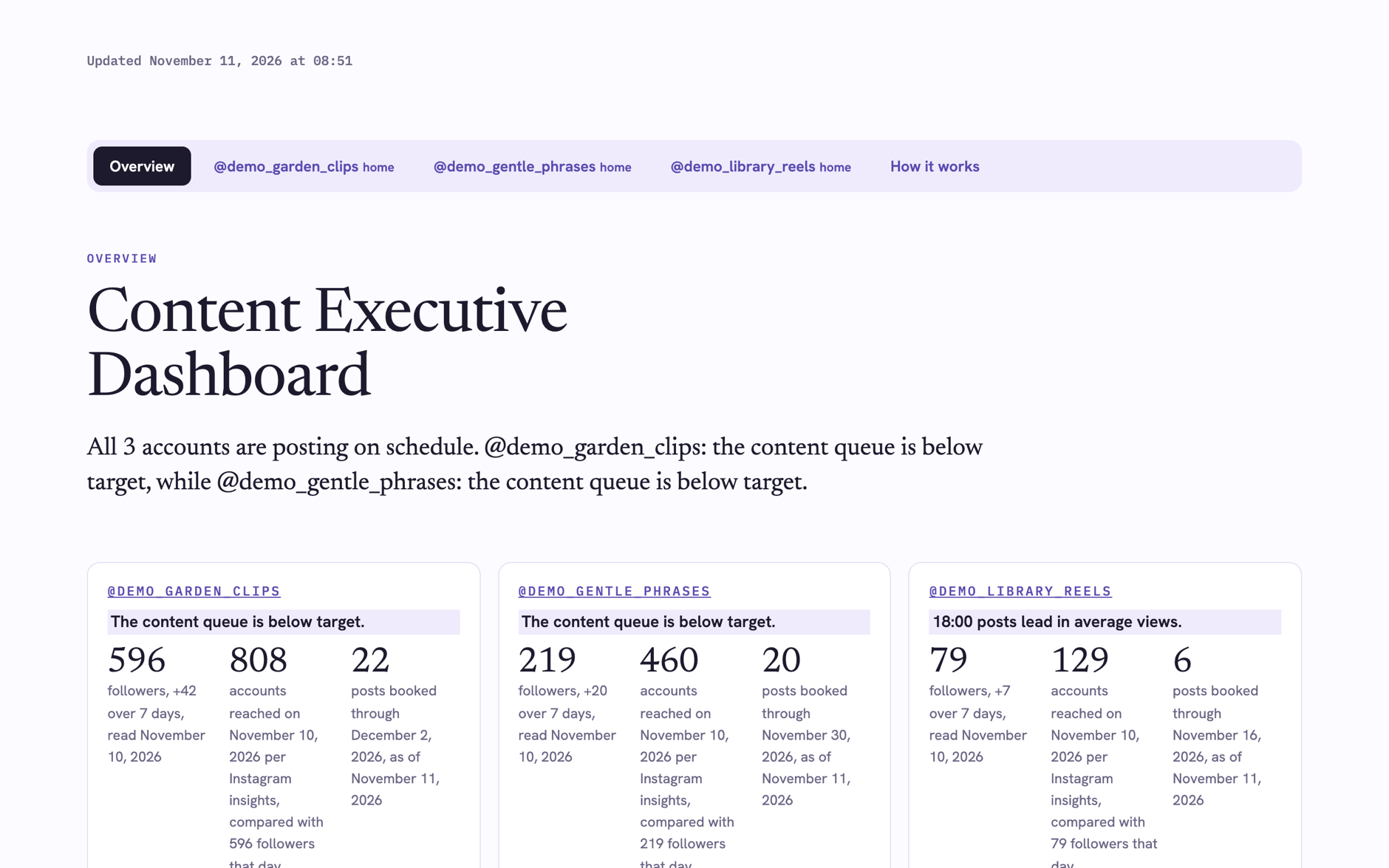
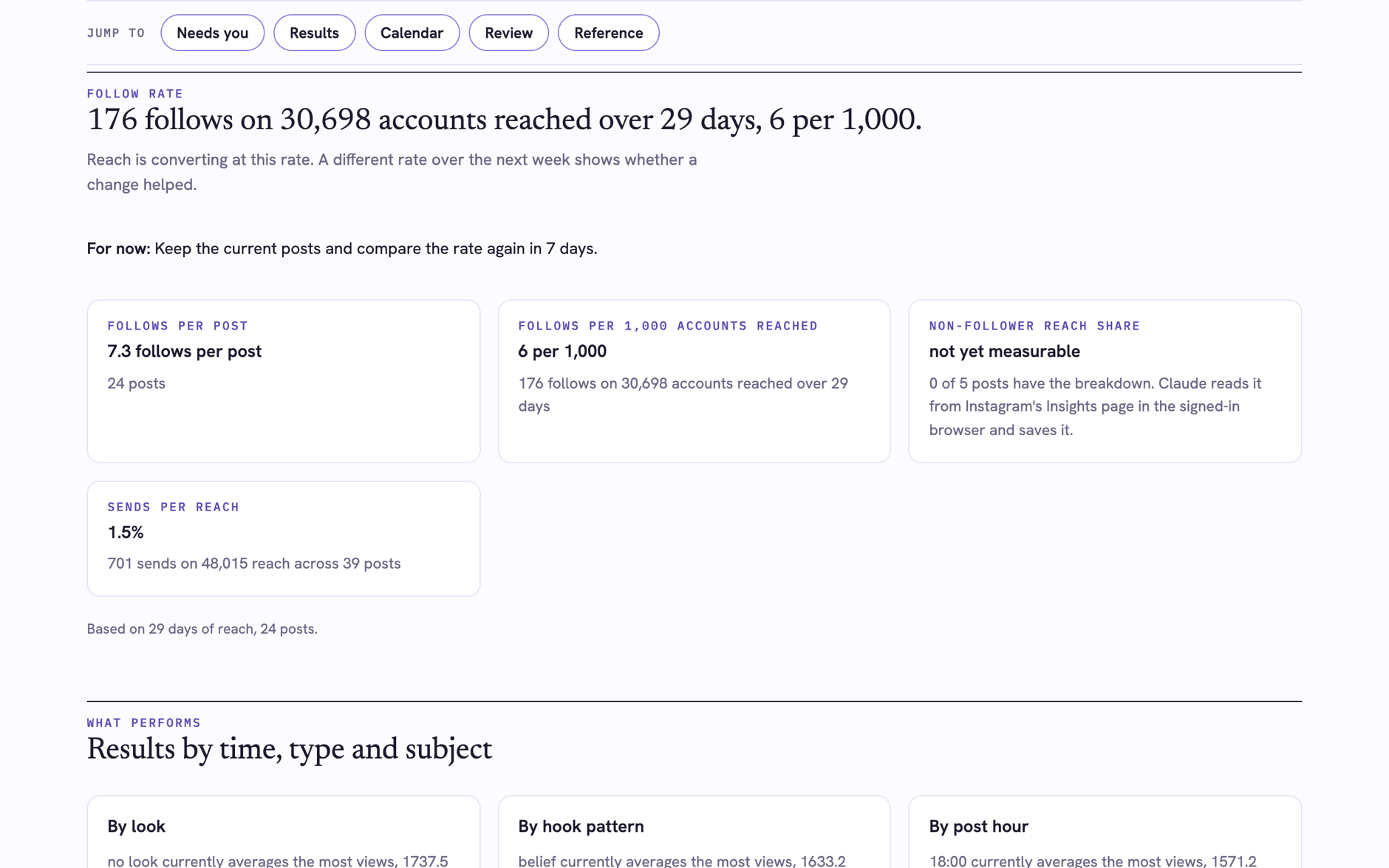
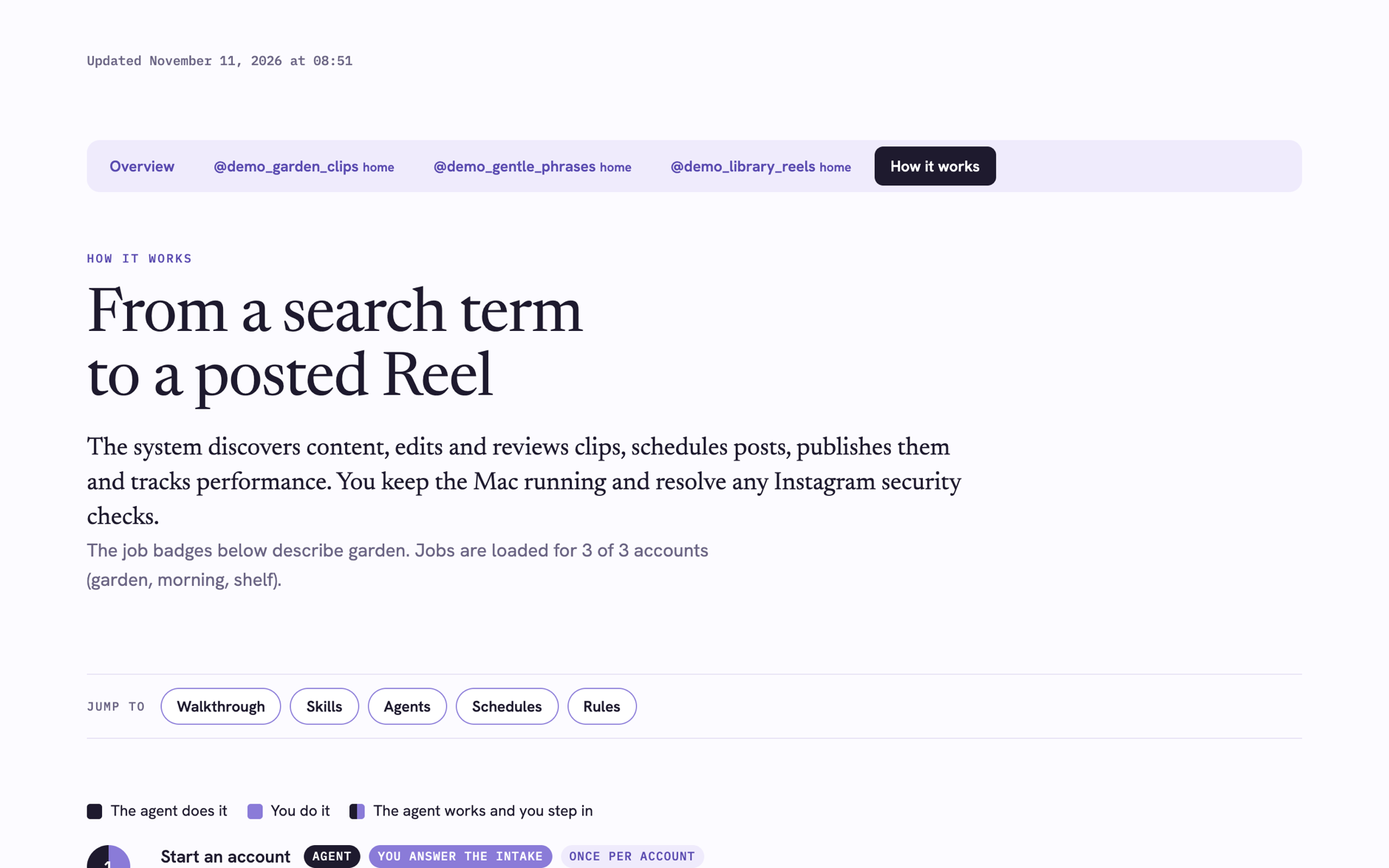
These screenshots show a demo dashboard with invented accounts, built by the suite's own dashboard script from fictional data. Job status on the page is simulated. The same page also shows each shop as an overview card and a tab, which the account screenshots do not include.
Front door
One skill greets a new user before either lane starts. It holds no account or shop data and steps out once the lane's own front door has taken over.
Skills
Shop skills
Shop agents
How the shop skills work together
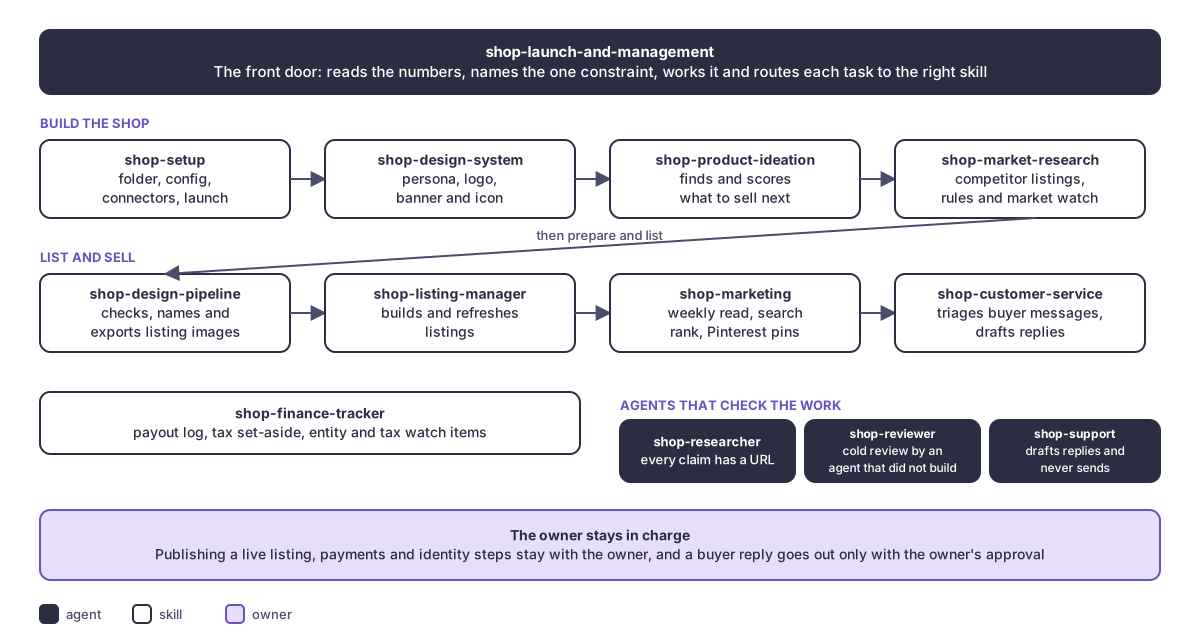
A shop begins with the central operator, which asks where the owner stands and hands a new shop to setup. Setup builds the workspace and connections, and the design system defines the brand. Product work starts with ideation, supported by market research on live competitor listings. The owner creates the chosen designs, the design pipeline checks them, and the reviewer gives a separate perspective on what changed. The listing manager turns each sellable design into a draft, the owner approves publishing, and the live page is checked against the approved version.
Once the first listing is live, marketing brings traffic, research tracks marketplace rules and the market, customer service and support handle buyer messages, and the finance tracker follows payouts and reporting obligations. Each session ends with a handoff so the next one starts where this one stopped.
Content flow skills and agents
Five skills run the account lifecycle and seven agents handle the research, judging and analysis. The skills decide what happens next, and the agents do the narrow jobs that benefit from a fresh pair of eyes.
Easy to start something new
A new account starts with one sentence: "set up content flow". The agent works alone through every step that touches only files and the computer, lists the few steps that need the owner once at the start so nothing arrives as a surprise, and names the next step after each one. The owner makes the decisions that carry identity, consent, secrets and money, and the first post is made by hand with a yes before anything runs unattended. Once the account is live, it appears on the shared dashboard.
Skills
Agents
How the pieces work together
An account's life runs in a loop. The front door asks where the owner is. For a new account, researchers gather evidence on candidate topics, a challenger argues against the leading pick, and the owner chooses. The strategist drafts a strategy that the owner approves.
Setup then builds the workspace, connects Instagram and makes the first post by hand with the owner's approval. After that, the clips or phrases skills keep the queue filled, pickers and a separate judge handle clips, and the platforms skill extends approved posts to other channels once they are live on Instagram. The community agent drafts replies and passes the people-only items to the owner.
Results feed a regular review in which the analyst identifies what works, the researcher refreshes market knowledge, and the strategist updates the plan with a reason for every change. Each report ends with the decision waiting for the owner.
Stack
Claude Code skills and agents, Python, Canva and Etsy adapters, launchd jobs, the Instagram API with Facebook, YouTube Shorts, TikTok and Pinterest adapters, and GitHub Pages for pin images.
Evidence
A clean-install check that verifies both operating paths across 16 skills and 10 agents.
Links
Source: private repositories, available on request.