HoopView
A lightweight, browser-based embroidery viewer that turns existing design folders into a searchable gallery of real stitch previews.
View on GitHub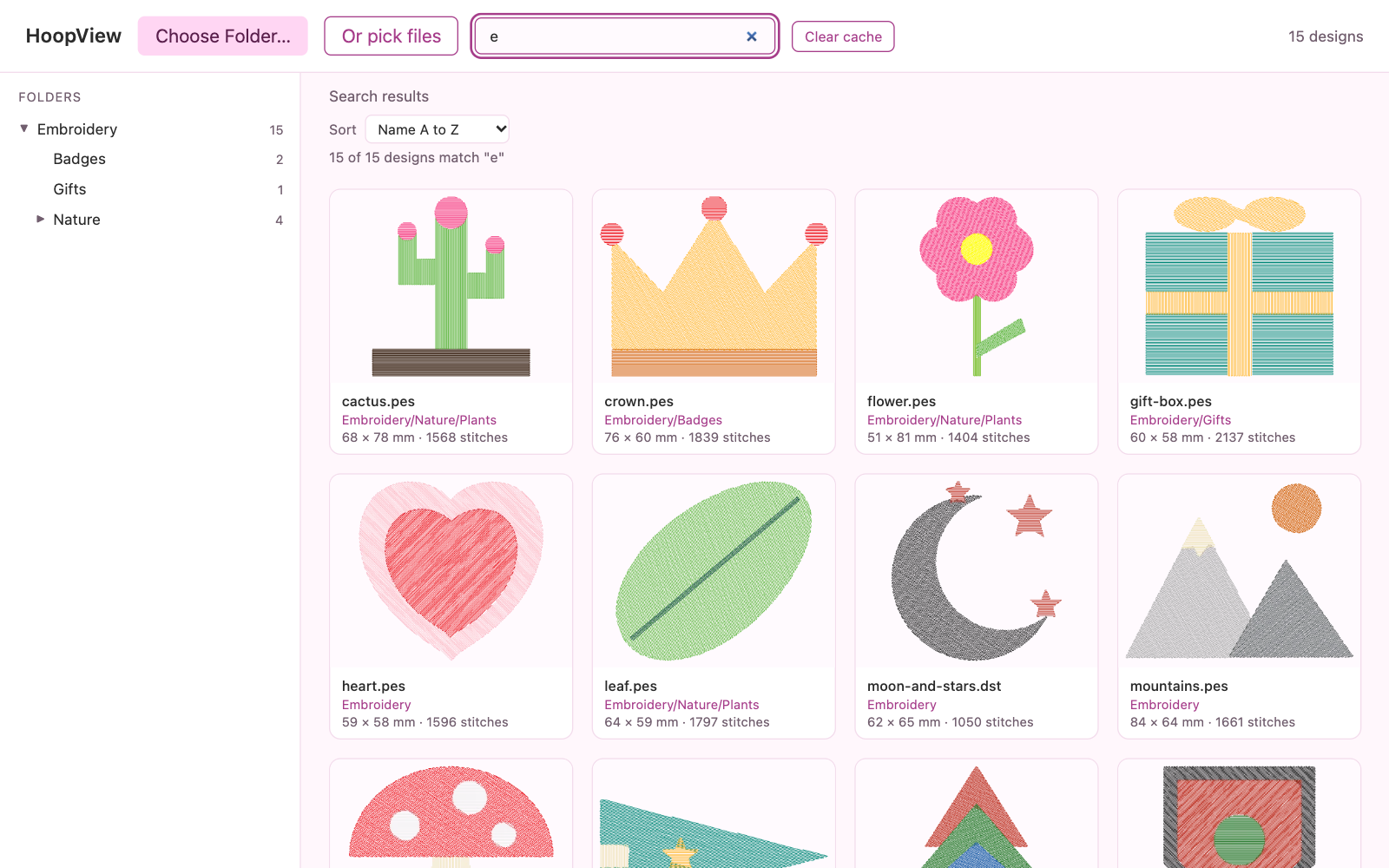
The problem
Embroidery files contain the actual stitch paths, but most computers display them as generic file icons. When a folder holds hundreds of .dst or .pes designs, finding a particular pattern means opening files individually or relying on filenames to remember what each design looks like.
The viewer I had been using became a paid tool. I wanted a lightweight alternative that solved the same practical problem without introducing another subscription or a complicated setup.
I built HoopView to turn existing embroidery folders into visual libraries, making designs easy to browse, compare, and inspect while preserving the original folder structure.
The experience needed to stay lightweight in practice, too. Embroidery libraries can be large, and many are stored in cloud-synced folders. Reading every file upfront would make browsing slow and could trigger unnecessary downloads. The viewer needed to load designs as they were needed, keep original files untouched, and work without an account, server, or upload process.
The approach
HoopView is a self-contained browser application. It reads supported embroidery formats locally and turns their stitch data into interactive previews.
- Actual stitch rendering. Designs are drawn from their underlying needle paths, including separate stitch runs and jump movements. PES files use embedded thread colors where available; DST previews use editable stand-in colors because the format does not contain thread-color information.
- Familiar folder browsing. The gallery mirrors the existing folder structure, with expandable folders, breadcrumbs, folder counts, and a visual grid of designs. There is no need to reorganize a library before using it.
- Designed for large collections. Folder contents are scanned without immediately reading every design. Previews are generated as cards approach the visible area, and off-screen rendering resources are released to keep browsing responsive.
- Cloud-folder support. The viewer works with folders backed by services such as OneDrive, iCloud, and Dropbox. It reads design contents as needed, handles files that are not yet downloaded, and allows the rest of the gallery to remain usable while individual files load.
- Interactive stitch playback. Open a design to watch it sew in sequence, move through the stitch path with a slider, and adjust playback speed. The preview identifies the current color block and stitch position.
- Design inspection and recoloring. Review stitch count, color changes, jumps, dimensions, thread length, and estimated sewing time. Change preview colors using a thread palette or custom color picker without altering the source file.
- Fast search and sorting. Search across the entire folder structure and sort by name, file size, or modification date. The viewer also supports keyboard navigation between designs.
- Local by design. No account, server, or upload is required. Stitch data is read and rendered in the browser, and the original embroidery files are never modified. A small browser cache supports faster repeat visits.
The result
HoopView is a public, single-file tool that turns an existing embroidery library into a visual, searchable workspace.
Users can browse folders, preview real stitch paths, replay designs, recolor previews, inspect design details, and find files without opening them one by one. The application supports DST and PES previews, with clear limitations where the source format does not contain certain information.
It runs directly in Chrome or Edge, requires no installation, and keeps embroidery files on the user's computer.
Screenshots
Stack
Plain HTML, CSS, and JavaScript · File System Access API · HTML Canvas
Evidence
- One self-contained HTML file, with no build process, server, or external libraries.
- Two supported embroidery formats: DST and PES, with embedded thread-color support for PES files.
- Large-library rendering, with previews generated as designs approach the visible area rather than loading the entire collection at once.
- Parser validation tests using generated sample stitch data to check coordinates, stitch positions, jumps, color changes, and format-specific behavior.
- Public MIT-licensed repository, available for anyone to inspect and use.
Access
oliver-chase/hoopview (public).